

In the modern digital landscape, the battle for local visibility isn’t won by the businesses with the deepest pockets, but by those who know how the algorithms actually work. Whether you run a local venue, a trade service, a professional consultancy, or a boutique retail shop, local organic reach is the single most valuable asset you can build.
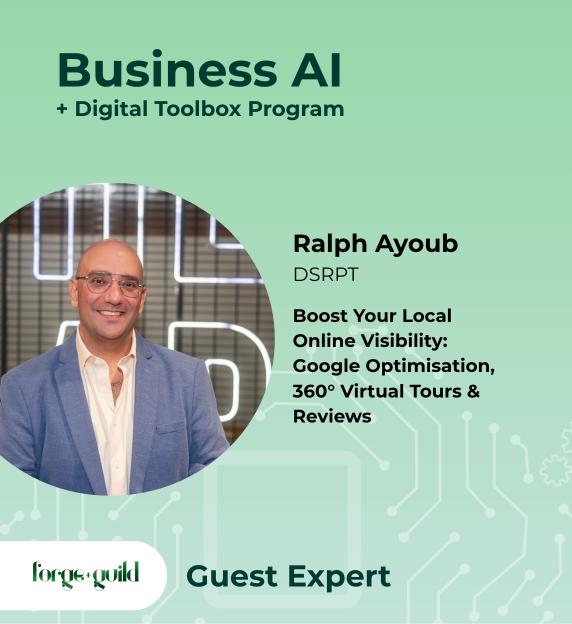
This comprehensive guide, based on the masterclass hosted by Forge & Guild with local search expert Ralph from Disrupt, outlines the exact strategies, hidden math, and actionable playbooks you need to dominate Page 1 of Google and future-proof your brand for AI-driven search.
If you are not doing your organic marketing well, paying for Google Ads is a waste of money. Invest in the Steam Train first.
This local optimization resource is brought to you by Forge & Guild. We specialize in helping regional and small businesses navigate the complexities of digital growth, local SEO, and brand positioning. Contact us today to schedule a one-on-one strategy session and accelerate your business’s digital momentum.
Introduction: The Cold Reality of Local Reach (The 88% Rule)
Almost every local customer journey begins in the exact same place. Specifically, 88% of people’s journeys on a daily basis start at Google. If your business is not optimized to appear when those local searches occur, you are completely invisible to the vast majority of your potential market. When local consumers search, they are divided into two distinct audiences:- The Cold Market: People who need a service (e.g., “plumber near me”) but don’t know who to trust yet. They rely entirely on Google search results, reviews, and Google Maps to make their decision.
- The Warm Market: People who already know your brand or have used you before. Surprisingly, even happy, returning clients rarely save your phone number. When they need you again, they will simply Google your business name and click the call button.
Chapter 1: The Steam Train vs. The Ferrari (Organic Momentum vs. Paid Ad Freefall)
Many business owners believe the fastest way to the top of Google is to buy their way there through Google Ads. However, the analytics tell a very different story.The Math of Google Ads
- Only 10% to 15% of searchers actually click on sponsored ads at the top of Google. The overwhelming majority—70% of searchers—actively scroll right past the ads to focus on Page 1 organic results.
- The only users clicking on sponsored ads are generally “the lazy” (who don’t want to scroll) or those in an absolute crisis. For instance, if a gas line pops or a water hose breaks, a consumer needs a plumber immediately and will click the very first sponsored link they see. Unless your business relies on instant emergency services, paid ads are rarely the most efficient use of your budget.
The Ferrari vs. The Steam Train Analogy
To understand the difference between Paid Ads and Organic SEO (or AI Search Optimization), consider Ralph’s famous automotive analogy:| Metric | The Google Ads “Ferrari” | The Organic SEO “Steam Train” |
|---|---|---|
| Speed to Start | Instant Gratification. Put your foot down and you hit top speed immediately. | Slow Start. Developing speed, indexing keywords, and building momentum takes time. |
| Stopping Distance | Instant Stop. Hit the brakes (or pause your ad spend) and you come to a complete standstill immediately. | Unstoppable. Once that heavy steam train gets up to speed, it is almost impossible to stop. |
| Long-Term Asset Value | Zero. The moment your daily ad budget runs out, your visibility drops to absolute zero—a literal freefall. | High. Ongoing, compounding authority that keeps you on Page 1 for months or years with minimal maintenance. |
Chapter 2: The Google Business Profile (GBP) 7-Tab Optimization Audit
Your Google Business Profile (formerly Google My Business) is your modern storefront. Most businesses claim their listing but leave it completely unoptimized. Use this simple diagnostic checklist to see where you stand.1. The Tab Audit
Open your profile on a mobile device and count the navigational tabs visible under your business name (e.g., Overview, Reviews, Photos, etc.).- Hospitality & Cafes: Should have exactly 6 optimized tabs.
- All Other Businesses: Must have exactly 7 optimized tabs.
2. Service-to-Product Transformation
Many service-based businesses ignore the “Products” tab on Google because they don’t sell physical goods. This is a massive missed opportunity.- The Playbook: Re-purpose your core services and list them as “Products” within your Google Business dashboard. Give each service its own dedicated “product” card with an image, a detailed description, and a “Learn More” button that links back to your website. This expands your digital footprint and infuses high-value organic keywords directly into Google’s local index.
3. Google Cross-Posting
Don’t let your social media designs go to waste.- The Playbook: Every time you design a graphic or write an update for Facebook, Instagram, or LinkedIn, post it directly to your Google Business Profile as an “Update” or “Post”. Google allows you to add a “Learn More” or “Book” button to these updates, channeling active, high-intent Google searchers straight to your booking or checkout pages.
Chapter 3: The 12x Algorithmic Cheat Code (Google Business View & 360° Tours)
If you want to bypass your competitors on Google Maps, you need to understand how Google measures user engagement. Every time a user interacts with your profile—clicking the call button, requesting directions, or looking at a photo—Google registers one organic click. The profile with the most consistent, high-volume organic clicks climbs to the top of local rankings. There is a literal “cheat code” to multiply these clicks: Google Business View (360° Virtual Walkthroughs).The 12x Math Explained
A standard 360° photo sphere is not a single file; it requires 12 individual, overlapping photos compiled together to create a seamless, immersive panoramic view. Because of how Google’s software processes these files:- Every time a user clicks an arrow to move forward or looks around inside your 360° virtual tour, the system registers 12 organic clicks/interactions instead of 1.
- As customers “walk” through your virtual premises, they generate hundreds of high-value algorithmic interactions in seconds.
- Google’s ranking engine detects a massive, organic engagement spike and rapidly elevates your business listing—ranking you up to 12 times faster than competitors who only use flat, static images.
Standard Interaction:  [User clicks "Directions"] ────────> 1 Algorithmic Click
360° Tour Interaction: [User clicks Arrow in Tour] ───────> 12 Algorithmic Clicks (Tricks Google's Ranking)
Who Needs a 360° Tour?
- High-Experience Venues: Wineries, pubs, restaurants, boutique accommodation, display homes, and gyms. Users are highly “sticky-beaked” and want to experience the layout and aesthetics before they book.
- Low-Footprint Offices & Fleets: Even if you run a service business (like a plumber, electrician, or manufacturer) where clients don’t visit your physical office, you can shoot a tour of your reception area, your warehouse, or even the customized interiors of your mobile service vans.
- Note on Videos: Do not substitute 360° tours with standard videos. Google actually dislikes video uploads on business listings because they own YouTube. They heavily favor static imagery and native 360° Street View data over standard MP4 video clips.
Chapter 4: The 5-Star Reviews Formula (Reputation Management & The 4.1 Danger Zone)
Online reputation is a numbers game where the rules are strictly dictated by Google’s backend thresholds.1. The “4.1 Star” Algorithmic Danger Zone
To Google, your rating is not just a badge of quality; it is a ranking filter:- Score of 4.1 to 4.5 is categorized as “Good”.
- Score of 4.6 to 5.0 is categorized as “Excellent”.
- Score of 4.0 or below is a critical warning. If your average drops below 4.1 stars, Google begins to actively de-rank your business, burying you behind better-rated competitors.
2. The “4-Star Review” Trap
Many business owners are delighted to receive a friendly 4-star review. However, if your goal is to stay in the “Excellent” category (4.6 to 5.0), a 4-star review actually drags your average down.- If you have two 5-star reviews and receive one 4-star review, your average immediately drops to 4.66. A string of 4-star reviews will steadily push you toward the 4.1 de-ranking threshold.
- The Playbook: When asking clients for feedback, do not make a generic ask for “a review.” Be explicit. Ask specifically for a 5-star review.
3. The Review Milestone Target
Don’t collect reviews aimlessly. Focus on hitting Google’s programmatic milestones in blocks of 50: Crossing each 50-review threshold unlocks higher local ranking authority.4. The In-Person Advantage: Removing Excuses
Relying on email footers or automated post-purchase links yields very low response rates because customers ignore static digital signatures.- The Playbook: Equip your team with NFC (Near Field Communication) “Tap” Cards or clear desk-side QR codes. When a client is standing in front of you, completely happy with your service, have them tap their phone against your NFC card. It instantly opens your Google review page on their screen, eliminating every technical excuse.
- Strategic Benefit: Asking for reviews in person virtually eliminates bad reviews. Customers are highly unlikely to leave negative feedback while looking you in the eyes, ensuring a near-100% success rate for 5-star submissions.
5. The Graceful Response Protocol (Responding to Negativity)
When a negative review arrives, business owners often react emotionally. Don’t. Potential clients care far more about how you respond to criticism than the negative review itself.- Never Ask a Question: Google’s platform does not allow reviewers to reply to an owner’s response. Asking questions like “When did you visit?” or “What was your order number?” in a public reply looks frustrating because the user cannot answer.
- Take It Offline: Keep your response short, perfectly professional, and entirely focused on taking the conflict private.
- Drafting Template:
“We take all feedback seriously and would love to make this right. Please contact our owner directly at [Email/Phone] so we can resolve this offline.”
6. The Duplicate Listing Trap
If you have old, abandoned Google profiles or duplicate listings floating around for your address, they will actively clash with each other from an SEO perspective. Google’s algorithm cannot figure out which listing is correct, resulting in neither listing ranking at all. Clean up duplicate profiles immediately and ensure your primary business email has total, uncompromised “Primary Owner” control of your Google Business Profile.Chapter 5: Writing High-Converting Captions (The Hook-Educate-Benefit Framework)
Social media is not a direct tool to acquire cold leads; it is an engagement tool designed to warm up audiences who already know who you are. To break through the mindless scrolling of today’s users, you must prioritize authenticity over perfection. Clean, generic, AI-generated flyers or highly sterile corporate templates are ignored after three seconds. Users crave “rough around the edges” authenticity—real photos of your team, behind-the-scenes moments, and honest human voices. When writing social media captions, abandon standard promotional pitches and write using the 3-Part Caption Framework:
│ 1. THE HOOK (Capture attention within the first 3 seconds)  │
│ 2. EDUCATE  (Provide pure value: tips, tricks, and facts)   │
│ 3. CALL TO BENEFIT (Inspire action through personal value)  │
- The Hook: An attention-grabbing opening sentence that stops the scroll immediately.
- Educate: The body of your post. Add genuine, actionable value. Share industry secrets, tips, and tricks without trying to sell a product.
- The Call to Benefit (CtB): Never close with a dry “Call to Action” (e.g., “Follow our page” or “Click here”), because users will instantly ask, “Why should I?”. Instead, use a Call to Benefit that highlights what they stand to gain or miss out on.
- Instead of: “Follow our page.” (Call to Action)
- Use: “Don’t miss out on weekly tricks to cut your energy bill in half.” (Call to Benefit)
Chapter 6: Future-Proofing for Generative Search (Answering Engine Optimization & Voice Training)
Search is changing. Active local users are increasingly turning to AI platforms like ChatGPT, Claude, and Apple Intelligence to find recommendations instead of scrolling through traditional blue links. To make sure your business is the one recommended by these artificial intelligence engines, you must optimize for AIO (AI Optimization) or GEO (Generative Engine Optimization). AI models do not guess recommendations; they crawl the web, analyze structured directory data, and parse local customer reviews.1. Training Your Personal AI Assistant
If you use ChatGPT or Claude to write copy, do not accept generic, robotic drafts. You must train the model to replicate your authentic, unique brand voice.- The Playbook: Write a social media post or blog article entirely in your own words. Paste it into your AI tool of choice and input this exact prompt:
“This is a final piece of copy written in my authentic brand voice. Analyze this style, tone, and caption structure. Save this profile, and write all future copy recommendations to match this exact voice.”
- By feeding your approved writing back into the LLM (Large Language Model), you establish a learned behavior loop, saving you hours of editing down the line.
2. The Q&A Blog Post Strategy
To index your website inside generative AI search summaries, you need to write content in a way that AI search spiders prefer to read.- The Formula: Write highly targeted blog posts structured as a direct question followed by a clear, thorough answer.
- The Constraints:
- Length: Minimum of 300 words per article.
- Frequency: Ideally once a fortnight (every two weeks), or a bare minimum of once a month to maintain active search indexing.
- Example Structure:
- Blog Header (H1): Is a 360° virtual tour worth the investment for a local venue?
- Body Copy: Provide an immediate, structured answer using your target keywords, explaining the 12x click math, and providing a quick, readable case study.
Your Step-by-Step Implementation Checklist
To turn this playbook into real, compounding momentum for your local business, execute these five steps immediately:- Perform a GBP Tab Audit: Count your navigational tabs. Ensure you have 6 (hospitality) or 7 (all other categories) tabs set up.
- Re-Purpose Services as Products: Take your primary service list and create a matching set of detailed “product” cards on your Google dashboard.
- Set Up NFC Tapping Cards: Purchase physical NFC feedback cards or design a custom QR display to collect 5-star reviews directly at point-of-sale.
- Clean Up Duplicates: Search Google Maps for duplicate listings at your business address and file a cleanup request to prevent SEO clashing.
- Launch a Q&A Blog Section: Outline three direct questions your customers frequently ask and draft 300-word Q&A articles to start capturing AI search indexing.
This local optimization resource is brought to you by Forge & Guild. We specialize in helping regional and small businesses navigate the complexities of digital growth, local SEO, and brand positioning. Contact us today to schedule a one-on-one strategy session and accelerate your business’s digital momentum.